
- At first download the VitaDock® Online app at the Apple Store. Here you can get more information about frequently asked questions concerning the VitaDock® Online app.

- Start the app an click on the small wrench symbol at the bottom of the screen. It's the glabal setting button.
- Now click on the bubble with the cloud, which is called Synch
- After that click Activate VitaDock® Online
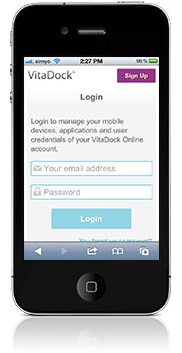
- You are going to be directed to the login page of the browser website. Login as usual

- A website appears, in which the app requests permission to use your data. Allow it.
- Is everything done correctly, a new website will inform you about the activation success. Now you can synch your iphone, iPad and iPod with the VitaDock® Online sofware on your PC or MAC.
Here you can get a more visual overview on the whole process.
Comments